Use the
Control Buttons in the upper right hand corner of this page to Minimize and/or
Maximize and/or resize this page To Return to the "Buyer Profile Page", close or minimize this page
View MLS Map Now
or...
To view this map, just click on the View MLS Map Now
link at the top or bottom of this page. Here are a few helpful
tips about how to use this special tool that has been provided... just for
you. You may want to print these few instructions out so you have them
while you are viewing the map. The MLS map is in PDF format. You
will need to have Adobe Acrobat Reader 4.x or higher installed on your
computer. The MLS Map Page is a bit large and may load slowly but the wait is well
worth the experience.
Once the map loads, you will see a tool bar that looks like this
just above the map. The icon that looks like a magnifying glass
with an "+" sign in the middle is your best friend here. When you have
the magnifying glass button clicked, your mouse pointer will turn into an icon
that looks just like the one in the magnifying button. Place the
magnifying glass at one spot on the map and hold the left mouse button
down. Keep the left mouse button depressed and drag the magnifying glass
in a diagonal direction. For example you may select an area like the one that is
outlined in red in this example.
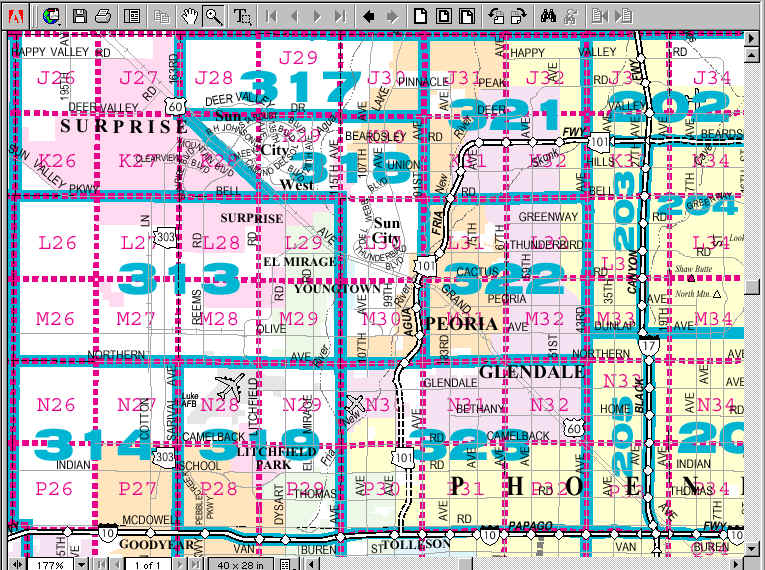
When you do this, the image will enlarge and look like this
Notice that the scroll buttons at the bottom and on the right side of your
screen are active allowing you to move from one end of the county to the next in
full size. The map can be enlarge significantly by duplicating the
preceding procedure.
By using this map to "Recon" your desired location, you will be
able to tell us exactly what Area (Areas are the
numbers in BLUE for example "Area 323") and what Grids (Grids
are written in RED for example Grids P30, P31 & P32). With
this kind of interaction between you and us, we will be able to tell you exactly
what properties are available in those areas that meet your desired
"creature feature" preferences.
Well... that is all there is to it. Good luck and now let's View MLS Map Now
Use the Control Button
in the upper right hand corner of this page to Minimize and/or Maximize and/or
resize this page
To Return
to the "Buyer Profile Page", close or minimize this page
 just above the map. The icon that looks like a magnifying glass
  with an "+" sign in the middle is your best friend here. When you have
the magnifying glass button clicked, your mouse pointer will turn into an icon
that looks just like the one in the magnifying button. Place the
magnifying glass at one spot on the map and hold the left mouse button
down. Keep the left mouse button depressed and drag the magnifying glass
in a diagonal direction. For example you may select an area like the one that is
outlined in red in this example.
with an "+" sign in the middle is your best friend here. When you have
the magnifying glass button clicked, your mouse pointer will turn into an icon
that looks just like the one in the magnifying button. Place the
magnifying glass at one spot on the map and hold the left mouse button
down. Keep the left mouse button depressed and drag the magnifying glass
in a diagonal direction. For example you may select an area like the one that is
outlined in red in this example. 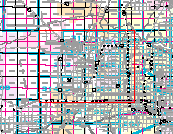 When you do this, the image will enlarge and look like this
  Notice that the scroll buttons at the bottom and on the right side of your
screen are active allowing you to move from one end of the county to the next in
full size. The map can be enlarge significantly by duplicating the
preceding procedure.
Notice that the scroll buttons at the bottom and on the right side of your
screen are active allowing you to move from one end of the county to the next in
full size. The map can be enlarge significantly by duplicating the
preceding procedure.